
Disclosure: Remote Work Europe has a commercial partnership with Xolo Spain. I switched my own accounting to Xolo as part of this, and the experience described in this post is genuinely my own. We only partner with services we’d recommend regardless – and the onboarding experience is a big part of why this partnership made sense to us.
If you’re a freelancer in Spain, you know the drill. You register as autónomo, you find a gestoría, and then… you hand over a bunch of documents and hope for the best. Maybe you get a WhatsApp message once a quarter telling you how much to pay. Maybe you chase them for weeks before your tax deadline. Maybe you have no idea what’s actually being filed on your behalf, because the whole thing happens behind a curtain you never get to peek through.
Then I tried Xolo Spain. And honestly, the onboarding alone changed my expectations of what this relationship should look like.
I’ve been self-employed in Spain for more than a decade, and I’ve worked with several gestorías over the years. Some were great people, and supported me personally as well as professionally, glad to discuss any queries I had. But the experience always tended to be that way around: hand over the paperwork, trust the process, then ask questions (and some of them clearly preferred you NOT to ask too many, especially near the end of the quarter). The idea that you might actually see your tax position in real time, or understand exactly what each quarterly filing means, or have your gestoría explain the system rather than just operate it? That felt like asking too much.
The sign-up: minutes, not meetings
I’m used to gestoría onboarding meaning a phone call, maybe a visit to an office, definitely a lot of back-and-forth over email attaching PDFs of documents.
Xolo’s process is entirely digital (although there are humans behind the process you can check in with at any time, if you have any questions.) You create an account, answer some screening questions about your business activity (they’re clear upfront about what they do and don’t cover – more on that below), and then verify your identity through Veriff. This means pointing your phone camera at your TIE (or other ID document) and following the prompts. It took less than a minute.
No scanning documents. No emailing passport copies. No booking a slot. Just a modern identity verification flow, the kind you’d expect from a fintech company – not something you’d typically associate with Spanish tax administration.
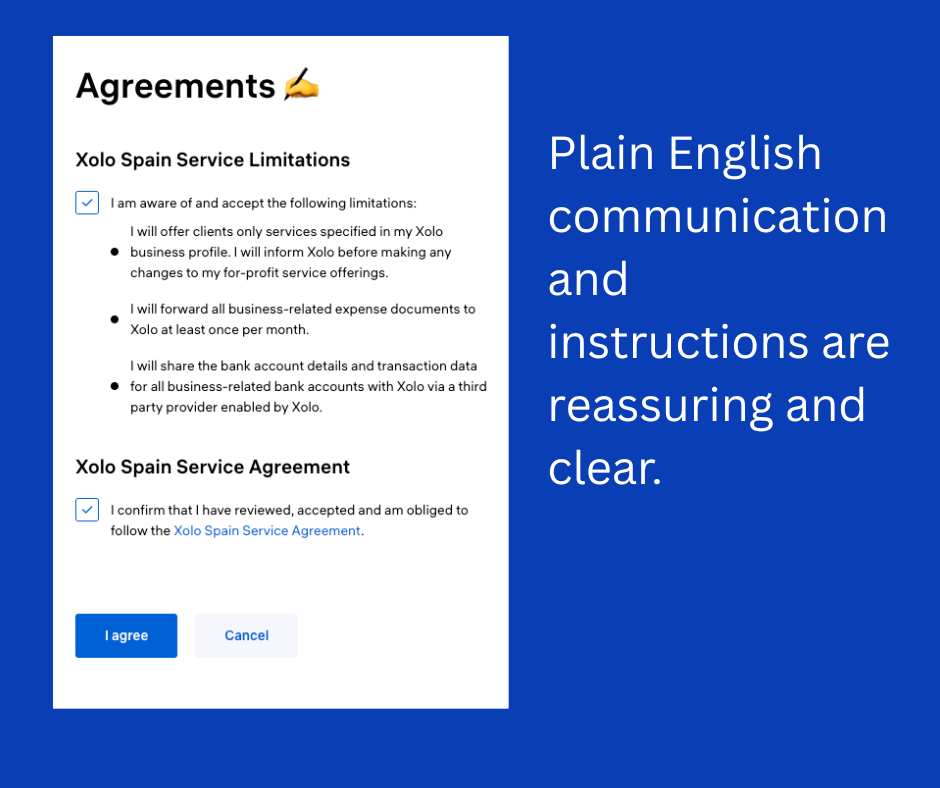
The platform immediately tells you what documents you’ll need and where to find them, in clear, step-by-step instructions. Not “please send us your certificado de situación censal” with no further explanation, but an actual walkthrough of what each document is, why it’s needed, and how to get it (as in, you need to click HERE, then you will see this screen, click on this link, etc.)
The onboarding hub: screencasts that explain all the things
Once you’re in, you land on an onboarding video hub. Short screencasts covering every section of the platform – your dashboard, how to create invoices, how expenses work, how banking integration functions, and crucially, how Spain’s quarterly tax system works.
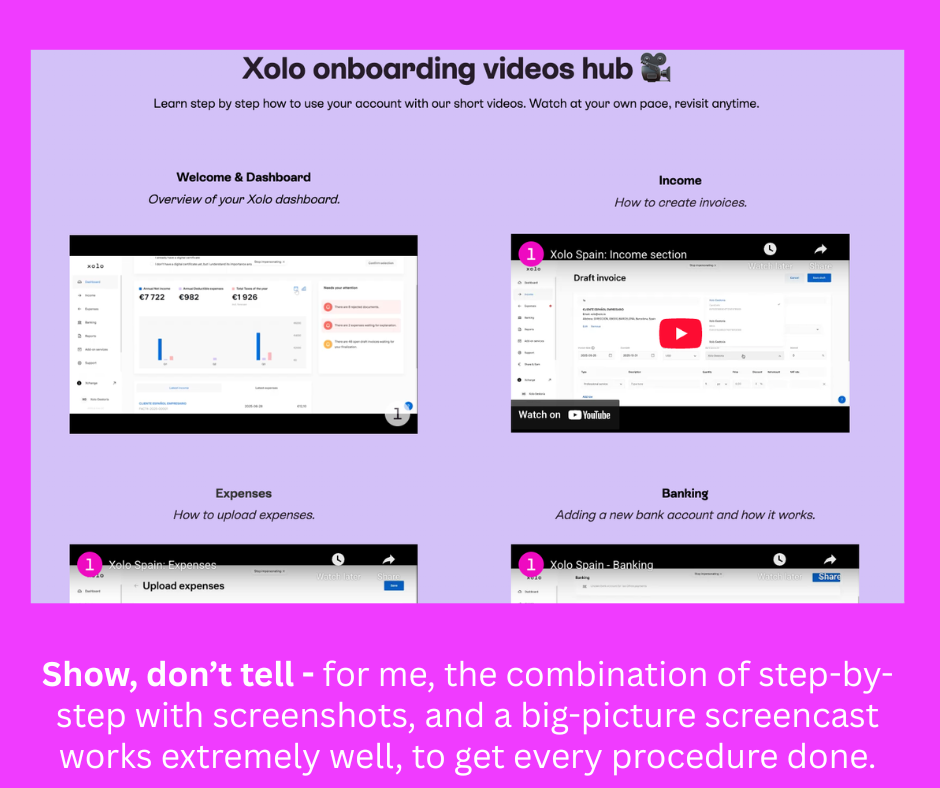
This is where I really started to notice the difference. These aren’t just “click here, then click there” tutorials. They explain the why behind each section. What Modelo 130 is. Why quarterly IRPF prepayments work the way they do. What happens at Renta time. The kind of context that most gestorías assume you either already know or don’t need to know.
For someone new to the Spanish system, this is genuinely valuable. And for someone who’s been in it for years? I’ll be honest – I learned things from these videos about parts of the system I’d never fully understood, because no-one had ever explained them to me.
I’d be the first to admit that’s at least partly my fault, because I never asked or felt I needed to. I think there’s a sense in which we all happily collude in the “Spain is different – all admin is best left to the experts” mindset, whereas in reality, we are all intelligent, educated freelancers, and this stuff is not rocket science. It’s a process and regulation, and it’s actually understandable, even to non-accountants who prefer words to numbers every time.
Everything is in clear, native English. Not translated-from-government-Spanish English, where you’re guessing what they actually mean by “regularisation of your fiscal situation.” Proper, natural English written by people who understand that their audience includes freelancers from all over Europe navigating an unfamiliar system.
RED authorisation: the right way to delegate
This is one of the parts that impressed me most, and it’s something most autónomos in Spain have never even thought about.
If you’ve worked with a gestoría before, there’s a very good chance they asked you to send them a copy of your certificado digital – the actual .pfx file and its password. This is an extremely common practice. Most autónomos hand it over without a second thought, because how else is your gestor going to file things on your behalf?
Here’s the problem: your certificado digital is your complete digital identity with the Spanish administration. When you give someone a copy, they can do anything as you – not just the specific tasks you’re hiring them for. There’s no audit trail distinguishing their actions from yours, no way to revoke access to one system without revoking everything, and no official record that you authorised them to act on your behalf. If the relationship ends badly, you’d need to revoke and regenerate the entire certificate.
Xolo does it differently. During onboarding, you receive an email from the Tesorería General de la Seguridad Social asking you to confirm the assignment of your NAF (Social Security affiliation number) to Xolo’s RED authorisation. RED – Remisión Electrónica de Datos – is the official system that the Seguridad Social provides specifically for delegating management rights to a gestoría.
What this means in practice:
You keep your certificado digital to yourself. Xolo never asks for your private credentials.
- You explicitly authorise the scope. The assignment is for Social Security management – not blanket access to your entire digital identity. For example, I needed to authorise the RED authorisation specifically to catch an incorrect address still lodged somewhere, that should have been updated years ago.
- There’s an official record. The Seguridad Social knows exactly who you’ve authorised, and when.
- Revocation is clean and straightforward. If you ever change provider, you revoke the RED authorisation through the SEDESS portal. No need to regenerate certificates.
It takes about two minutes in the onboarding flow. But it reflects a fundamentally more professional and secure approach to managing your autónomo admin. The fact that most gestorías don’t do it this way tells you something about how the industry has traditionally operated.
The dashboard: Your numbers in real time
This is the feature I keep coming back to.
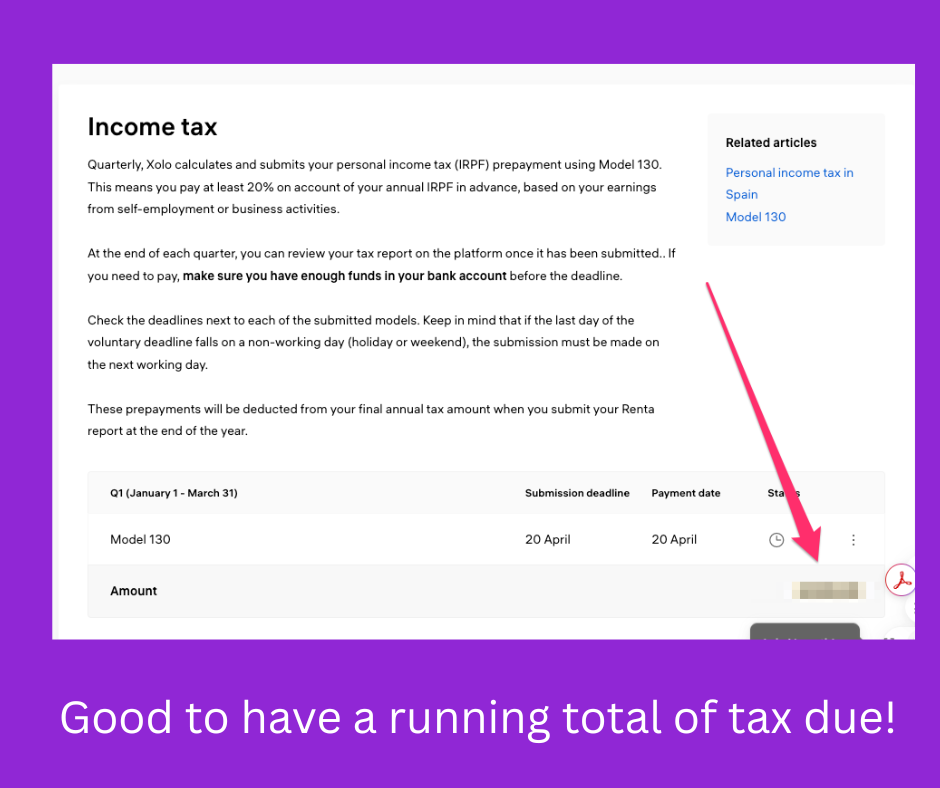
In the Xolo dashboard, I can see a running projection of my income tax liability, based on my declared income so far this year. Not an estimate from my accountant once a quarter. Not a rough calculation on the back of an envelope, or a horoscope based on whether Saturn is rising in my money house sign. An actual, updating figure that changes as I invoice and record expenses.
If you’ve ever approached a quarterly tax deadline wondering “how much am I going to owe?” and then waited for your gestor to calculate it and tell you – often at the last minute – you’ll understand why this feels like a revelation. It’s the difference between checking your bank balance on an app, and waiting for a monthly paper statement like we did in the 1990s.
Once you can see the information, you make better decisions. You feel empowered in your business, and you’re also less likely to attract the random and eye-watering fines that missing a payment is inclined to attract.
The tax dashboard covers everything: quarterly IRPF prepayments (Modelo 130), VAT (Modelo 303), vendor withholdings, and all the other moving parts that affect your income and cash flow. Each filing has its deadline clearly shown, with its current status.
You can also see all your invoices, expenses, and their tax implications in one place. When you add an expense, the platform assesses its deductibility.
When you create an invoice, the system calculates the tax impact automatically, and checks the VAT registration status of your client in real time. Everything connects. And every invoice is Verifactú compliant, ahead of forthcoming regulatory changes.
Expense management: forward and forget
If you’ve ever found yourself downloading PDF invoices from your email, renaming them, and forwarding them to your accountant in a batch before each quarter, you’ll appreciate this bit.
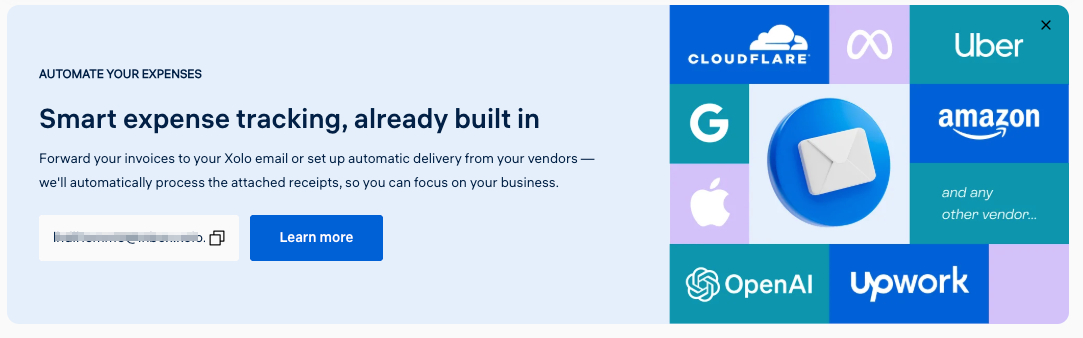
Xolo gives you a dedicated email address for expenses. Receive a bill? Forward it to your Xolo maildrop. Regular bill you don’t need to oversee? Set the maildrop address right in the service provider’s portal. It then magically appears in your expense queue, ready to be categorised and matched with outgoings. No downloading, no organising folders, no “I’ll send those receipts to my gestor this weekend” and then forgetting until the end of the quarter is breathing down both your neck and theirs.
It’s a small workflow improvement, but it removes one of those persistent friction points that makes keeping on top of your admin feel like a chore. A combination of human and automation validates the legitimacy of those expenses and maintains a running account for you.
By the way, those tiny fractions of utility bills, that your paper-shuffling gestoría told you were not worth the hassle of claiming for? That was probably true, when it came to handling bits of paper. But when a system is fully digitised, EVERYTHING can be accounted for, and those 30%’s of not-very-much truly add up. I think I will be saving the cost of a month or two of Xolo subscription without even trying.
Invoices: automatically compliant
What’s more important than filing expenses? Raising invoices and getting paid of course! This is also extremely straightforward in the Xolo tools. You can adapt the design, check the VIES database for VAT compliance in real time, and set up a new customer in a few minutes. Then if you have recurring invoices it is literally under one minute (I checked!) to create and send future invoices.
Proformas, drafts? They’ve got you. As well as automatic sending to clients, without leaving Xolo.
And it won’t surprise you to hear that this digital-by-design approach means that invoices raised through Xolo Spain are natively Verifáctu compliant – so whenever Spain gets around to implementing the enforcement of this for autónomos, you won’t have to change anything.
Support: resources first, human response when you need it
Xolo’s support model combines three layers. First, there’s an extensive library of written guides and help articles – again, in clear native English, covering everything from how Spain’s tax calendar works to what happens during your Renta filing.
Second, there are the onboarding video guides that continue to be useful long after setup.
Third, there’s live chat, staffed Monday to Friday, 9:00 to 15:00 peninsular time. In my experience so far, responses have been quick and specific – not the “let me escalate this” runaround you sometimes get with larger platforms, and there are clearly knowledgeable humans on the other end of it rather than bots. Honestly, I did not explore this feature in-depth yet, because the onboarding went so smoothly, I literally had no questions to ask! But I checked in and said hi, so that I could confirm that it worked as a channel for reviewing purposes.
For the higher-tier plans, you also get dedicated phone consultations with your accountant, which is useful when you need to talk through something more complex than a chat message can handle.
What Xolo doesn’t do (and is transparent about)
This is important, because no single gestoría covers everything, and the ones that claim to sometimes don’t deliver.
Xolo Spain is designed for professional service freelancers – consultants, developers, designers, translators, marketers, teachers, and similar. If you sell physical products, need a commercial licence, or trade in cryptocurrency, it’s not the right fit. They’re clear about this before you sign up, which I appreciate – better to know upfront than discover three months in that your situation isn’t supported.
They also don’t currently cover certain regional tax regimes (Basque Country, Navarra, Ceuta, Melilla) and require Spanish tax residency (183+ days per year).
Additional services like Modelo 720 (overseas asset declarations), medical insurance, and legal consultations are available as add-ons rather than included in the base plans (although the annual renta is included in most of them.) The pricing for all of this is visible on their website – no “contact us for a quote” ambiguity.
Who should consider switching to Xolo?
Not everyone needs to change gestoría. If you have a great relationship with a responsive accountant who explains things clearly and files everything on time, stick with them. A good gestor who knows your situation is worth a lot, as is a great relationship of personal trust built up over years. And you might also genuinely prefer meeting face to face, handing over receipts, and doing business in a more traditional way.
But if any of these sound familiar, it might be worth exploring Xolo:
- You don’t really understand what’s being filed on your behalf. The Xolo portal makes the entire process visible, with context for every filing.
- You’re always chasing your gestor before deadlines. The automated dashboard means you can see where things stand without asking.
- You handed over your certificado digital and never thought twice. The RED authorisation approach is more secure and more professional.
- You prefer things in English – real English, not translations. If you’ve ever received a tax explanation from your gestor that you had to translate and then still didn’t fully understand, the difference is significant.
- You want to see your tax position in real time. If your current setup means you only find out what you owe when it’s time to pay, the dashboard alone might be reason enough.
- You’re new to Spain and need the system explained, not just operated. The onboarding resources don’t assume prior knowledge of Spanish tax administration.
The bottom line:
Xolo Spain isn’t trying to be a traditional gestoría with a website bolted on. It’s a platform built from scratch for freelancers who expect the same transparency and visibility from their tax administration that they get from their banking app or their project management tools. I have personally used their dashboard services in Estonia for many years, and while financial administration Estonia and Spain could not be more different in many respects, they have made the user experience in the portal equally clear and user-friendly.
The onboarding is genuinely smooth – digital verification, clear instructions, video walkthroughs, and a portal that makes you feel like you understand what’s happening with your taxes for the first time. The RED authorisation approach is more secure than the industry standard. And the real-time tax dashboard is, for me, the feature that changes the relationship between freelancer and gestor from “trust me” to “see for yourself.”
Frequently Asked Questions
How long does Xolo Spain onboarding take?
The initial sign-up and identity verification can be done in under 10 minutes. There are various steps to take depending on whether or not you are already registered as autonomo in the seguridad social and tesoria, but you will be guided through it one move at a time. Most people are fully set up within a day or two, but they do ask that you register by the 25th of the month you wish to account for.
Can Xolo handle my situation if I have international clients?
Yes – their Global and Premium plans are specifically designed for freelancers invoicing internationally, including intra-community VAT numbers and multi-currency support.
Do I need to be registered as autónomo already?
No. Xolo can handle your autónomo registration as part of onboarding (included free with a 6-month commitment on most plans). They’ll walk you through the process, step by step.
What if I want to switch from my current gestoría mid-year?
Switching mid-year is possible. Xolo will need your previous filings to pick up where your last gestor left off. The transition is smoother at quarter boundaries (January, April, July, October) but isn’t limited to those. (I did my transition during February, and it was easy to add my receipts and facturas from January directly into the portal - your mileage may vary if you have a ton of non-digitised documents, so think carefully about timing in this event.)
Is Xolo Spain the same as Xolo Go and other products for different countries?
No. Xolo Spain is a separate service specifically for Spanish autónomo accounting and tax. If you’re familiar with Xolo’s Estonian e-Residency product, the platform will feel familiar in quality and approach, but it’s a distinct offering for Spanish tax obligations.
Related reading: For more on working remotely in Spain, see our Spain country guide. For the full picture on registration and tax obligations, see our complete guide to becoming autonomo in Spain and our explainer on VeriFactu invoicing requirements.


